Evolving convection of a Darcy fluid in a layered porous rectangle#
\[\begin{split}
\mathbb{S}
\begin{cases}
\Omega = [0, \mathcal{A}X] \times [0, X] & \text{aspect ratio } \mathcal{A}=\mathcal{O}(1)\\
\textbf{e}_g=-\textbf{e}_y & \text{vertically downward gravity}\\
\phi(y)=\begin{cases}
\varphi & (\zeta - \tfrac{1}{2}\delta)X \leq y \leq (\zeta + \tfrac{1}{2}\delta)X \\
1 & \text{otherwise}
\end{cases} & \text{low porosity layer} \\
\mathsf{D} = \mathsf{I} & \text{constant isotropic dispersion} \\
\mathsf{K}(\phi) = \phi^2\mathsf{I} & \text{quadratic isotropic permeability}\\
\mu = 1 & \text{constant viscosity} \\
\rho(c) = c & \text{linear density} \\
c_0(x,y)=\lim_{\epsilon\to0}\frac{1}{2}\left(1+\text{erf}\left(\frac{y-Ra}{\epsilon Ra}\right)\right)+\mathcal{N}(x,y) & \text{perturbed diffusive base state} \\
c_{\text{D}}(x,y=X)=1 & \text{prescribed concentration on upper and lower boundaries} \\
c_{\text{N}}(x,y=0)=0 & \text{no-flux on lower boundary}\\
c_{\text{N}}(x=0,y)=0 & \text{no-flux on left boundary}\\
c_{\text{N}}(x=\mathcal{A}X,y)=0 & \text{no-flux on right boundary}\\
\psi_{\text{D}}\vert_{\partial\Omega}=0 & \text{no-penetration on entire boundary}
\end{cases}
\end{split}\]
from lucifex.fdm import AB2, CN
from lucifex.sim import run
from lucifex.utils import as_indices
from lucifex.viz import plot_colormap, save_figure, create_animation, display_animation
from py.C01_darcy_evolving import darcy_convection_evolving_rectangle

varphi = 0.2
zeta = 0.5
delta = 0.1
porosity = lambda x: 1 + (varphi - 1) * (x[1] <= zeta + 0.5 * delta) * (x[1] >= zeta - 0.5 * delta)
simulation = darcy_convection_evolving_rectangle(
    aspect=2.0,
    Nx=64,
    Ny=64,
    cell='quadrilateral',
    scaling='advective',
    Ra=500.0,
    porosity=porosity,
    c_ampl=1e-4,
    c_freq=(14, 14),
    c_seed=(456, 987),
    D_adv=AB2,
    D_diff=CN,
)

n_stop = 400
dt_init = 1e-6
n_init = 5
run(simulation, n_stop=n_stop, dt_init=dt_init, n_init=n_init)

c = simulation['c']
time_slice = slice(0, None, 2)
titles = [f'${c.name}(t={t:.3f})$' for t in c.time_series[time_slice]]

anim = create_animation(
    plot_colormap,
    colorbar=False,
)(c.series[time_slice], title=titles)
anim_path = save_figure(f'{c.name}(t)', get_path=True)(anim)

display_animation(anim_path)
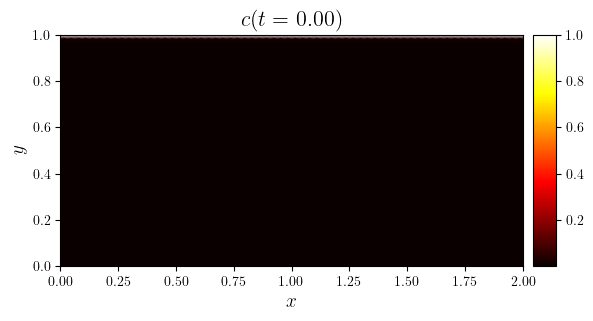
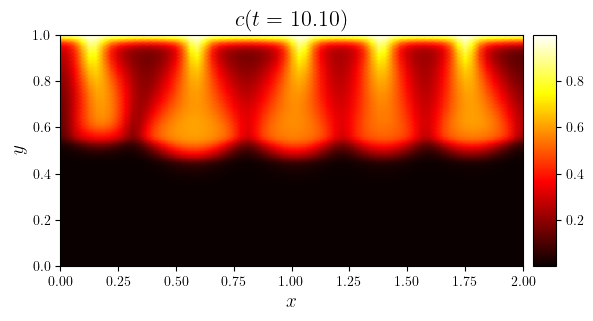
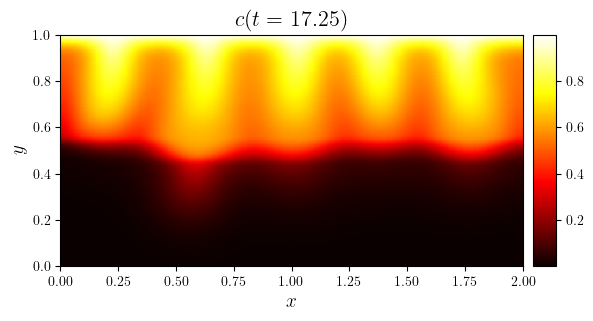
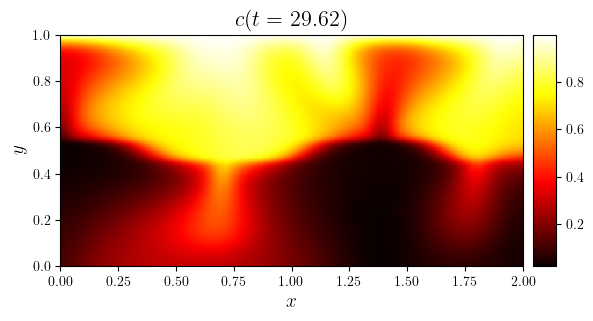
i_thumb = 0.25
time_indices = as_indices(c.time_series, (0, i_thumb, 0.5, -1), fraction=True)
for i in time_indices:
    fig, ax = plot_colormap(c.series[i], title=f'$c(t={c.time_series[i]:.2f})$')
    save_figure(f'{c.name}(t={c.time_series[i]:.2f})', thumbnail=(i == i_thumb))(fig)
The Kernel crashed while executing code in the current cell or a previous cell.

Please review the code in the cell(s) to identify a possible cause of the failure.

Click <a href='https://aka.ms/vscodeJupyterKernelCrash'>here</a> for more info.

View Jupyter <a href='command:jupyter.viewOutput'>log</a> for further details.